
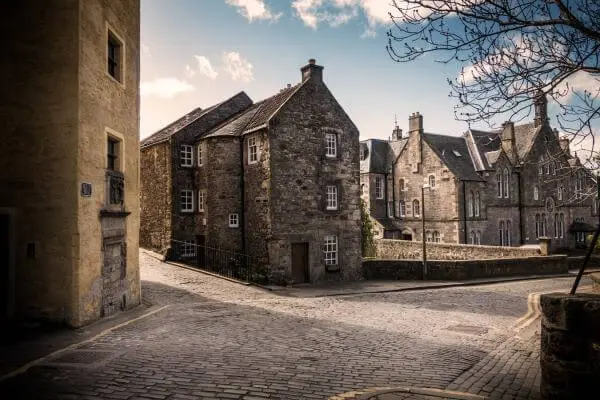
Creating Buildings on Notebook.ai
Fill your towns with stores, offices, historical buildings, and residences for your characters.
Creating buildings on Notebook.ai is easy.
To get started, just click Buildings under the "Worldbuilding" header in the site sidebar. You'll be able to see or edit all of your existing building pages and create new ones at any time. You can also customize your Building template for all of your pages here.
Search your buildings
If you've got a lot of buildings, you can quickly get around to the right one with Notebook.ai's full-text search. It searches your entire notebook for anything you wrote about that building.
You can also filter your buildings by tag, whether you've favorited that page, and which universe it's in.
Private by default
Your ideas are valuable. Every building you create in Notebook.ai is owned by you, completely private by default, and only accessible to you.
But of course, you also have full control over that privacy and can share any building page you want, however you want, whenever you want.
Buildings are a Premium page
Building notebook pages require an active Premium subscription to create, but users on free plans can view and edit their existing building pages at any time.
Notebook.ai is your personal worldbuilding notebook; any page you create is yours forever and you'll never lose access to any part of it for any reason — even if you downgrade to a free account in the future.
business Get a head start with a detailed, customizable building template
You can fill out as little or as much as you'd like on every new building. You'll see progress indicators every time you edit it to show where you can make progress on and our system will intelligently generate questions for you around the site that will automatically save your answers to the proper place on your building page.
Templates are also fully customizable across every building in your notebook.
You can browse the default template for buildings here; just click a category to see the questions it starts with.
-
NameWhat is this building's name?
UniverseThis field allows you to link your other Notebook.ai pages to this building.
DescriptionHow would you describe this building?
Type of buildingWhat kind of building is this building?
Alternate namesWhat other names is this building known by?
TagsThis field lets you add clickable tags to organize your buildings.
-
OwnerWho owns this building?
TenantsWho lives or works in this building?
AffiliationWhat groups or organizations is this building affiliated with?
CapacityHow many people can this building hold?
PriceHow much does it cost to enter or upkeep this building?
AnimalsWhat animals live in this building?
-
Architectural styleWhat style of architecture is this building?
FacadeWhat does the outside of this building look like?
RoofWhat kind of roof does this building have?
DimensionsHow big is this building?
Square feetHow many square feet is this building?
Floor countHow many floors are there in this building?
FlooringWhat kind of flooring does this building have?
WallsWhat kind of walls does this building have? What color? What material?
WindowsHow many windows does this building have? What kind of windows? In which rooms?
-
BedroomsHow many bedrooms does this building have?
BathsWrite as little or as much as you want!
PurposeWhy does this building exist? What is it for?
PermitsWhat permits does this building have?
ZoneWhat is this building zoned as?
-
AddressWhat is this building's address?
TownThis field allows you to link your other Notebook.ai pages to this building.
CountryThis field allows you to link your other Notebook.ai pages to this building.
LandmarkThis field allows you to link your other Notebook.ai pages to this building.
LocationThis field allows you to link your other Notebook.ai pages to this building.
-
Neighborhood nameWhat is the name of the neighborhood this building is in?
Crime rateWhat's the crime rate near this building?
Nearby buildingsThis field allows you to link your other Notebook.ai pages to this building.
ViewWhat is the view like from this building?
StereotypeWhat is the stereotype of people who live or work near this building?
District schoolsThis field allows you to link your other Notebook.ai pages to this building.
-
ValueHow much is this building worth?
Last sale priceHow much did this building's previous owner sell it for?
Monthly paymentsWhat kind of monthly payments (mortgage, rent, upkeep, etc) do the owners of this building have to pay?
-
ParkingWhat parking is available to this building?
CoolingWhat kind of air cooling system does this building have?
HeatingWhat kind of air heating system does this building have?
SecurityWhat kind of security system does this building have?
WalkabilityHow walkable is this building to nearby points of interest?
-
Constructed yearWhen was this building built?
Construction costHow much did it cost to build this building?
Construction timeHow long did it take to build this building?
Last remodelWhen was this building last remodeled?
ArchitectWho designed this building?
DeveloperWho was the developer that built this building?
Notable eventsWhat has happened in or around this building?
-
NotesWrite as little or as much as you want!
Private NotesWrite as little or as much as you want! Private notes are always visible to only you, even if content is made public and shared.
More building features
Buildings require an active Premium subscription to create. Once you've created a page, it's yours forever! The following features are always enabled for all Building pages to help you build the wonderful world in your head.
AVAILABLE ON ALL PAGES
photo_library Upload images to your building
Buildings and other worldbuilding pages all come with a dedicated area to upload and showcase your own uploaded images.
The images you upload replace any default images the site uses, which makes your notebook truly feel yours when you see all of your fancy buildings around the site!
50MB
free for all users
+10GB
for Premium subscribers
AVAILABLE ON ALL PAGES
vpn_lock Focus on buildings from a single universe
Building entire fictional worlds is hard! And it gets even harder when you've got ideas that span multiple universes or worlds.
To help you focus on what's relevant, Notebook.ai lets you focus on a single universe at a time. This hides your notebook pages from all other universes and lets you work on your world without distractions.
To focus on a single universe, simply select it from the top-left dropdown of any page.
AVAILABLE ON ALL PAGES
group_add Invite others to collaborate
Notebook.ai lets you add an unlimited number of collaborators to your universes for free. Each one has full access to work alongside you on your buildings and other pages within that universe.
If you have a Premium subscription active, your collaborators can also share all of your Premium perks while working in your universe, too!
AVAILABLE ON ALL PAGES
brightness_4 Work in light or dark mode
Protect your eyes at night by choosing between light and dark themes at the click of a button, available across the entire website.
AVAILABLE ON ALL PAGES
business Craft your perfect building piece by piece with personalized, smart writing prompts
Once you've started creating a building or two, you'll start noticing our worldbuilding tool asking you personalized questions about those buildings around the site.
Whenever you write an answer to any of these prompts, they'll automatically be saved to the relevant field on your building notebook page and you won't be asked the same question again.
favorite We're here to stay.
12,029
total Buildings created
20
Buildings recently created
8.75
trees saved!
Your Name Here
Bestselling author?
business Write smarter with your world at your fingertips.
When you're ready to start writing, Notebook.ai makes it easy to take the world you've built and keep it at your fingertips, ready to reference any time you need it.
Every account on Notebook.ai also includes unlimited document storage using our integrated editor that's full of smart features. You can link your buildings and other worldbuilding pages to individual documents to see them directly inside the editor — making it easy to reference small details without losing momentum.
If you prefer to use another word processor, our page search makes it easy to look up any information you need about your world, letting you focus on the big picture story instead of fretting over the small details.
description Take your story to the next level with more integrated tools
Our other integrated tools allow you to build upon the foundation you lay from a world of buildings and other notebook pages. Each feature offers new ways to enrich your world and write better stories within them.
- timeline Start working on a timeline and add your buildings to the individual scenes that are relevant to them.
- description Create unlimited documents and link your buildings to them.
- auto_stories Group your notebook pages together in new ways by adding them to Collections.
- ballot Share your buildings to your followers or to the world to get comments and feedback.
- business See in a single place all the timelines, documents, collections, and other pages your building is linked to.
Buildings are just one of the 29 types of worldbuilding pages available on Notebook.ai.
Create your first building today!